Agents
There is one noun here: Agent. The Assistant, the one that already answers on every table with sessions switched on, is an agent too, shown as “the Assistant on <table>.” Anything else on the list is an agent you made or installed. Both kinds share one page, five plain questions, and one Try it panel, because a customer configuring either should never have to learn two shapes.
When you’d use it
- See what is already working on your tables, built in, with no setup.
- Change what the Assistant on a table wakes on, or who signs off its changes, without opening a designer.
- Make a new agent for one table’s own need, starting from the Assistant, from an agent you already installed, or from nothing.
- Check a real record before turning an agent on, so the first time it wakes is not a surprise.
- Pause, retire, or hand a made agent to the full editor for anything this page does not reach yet.
The list
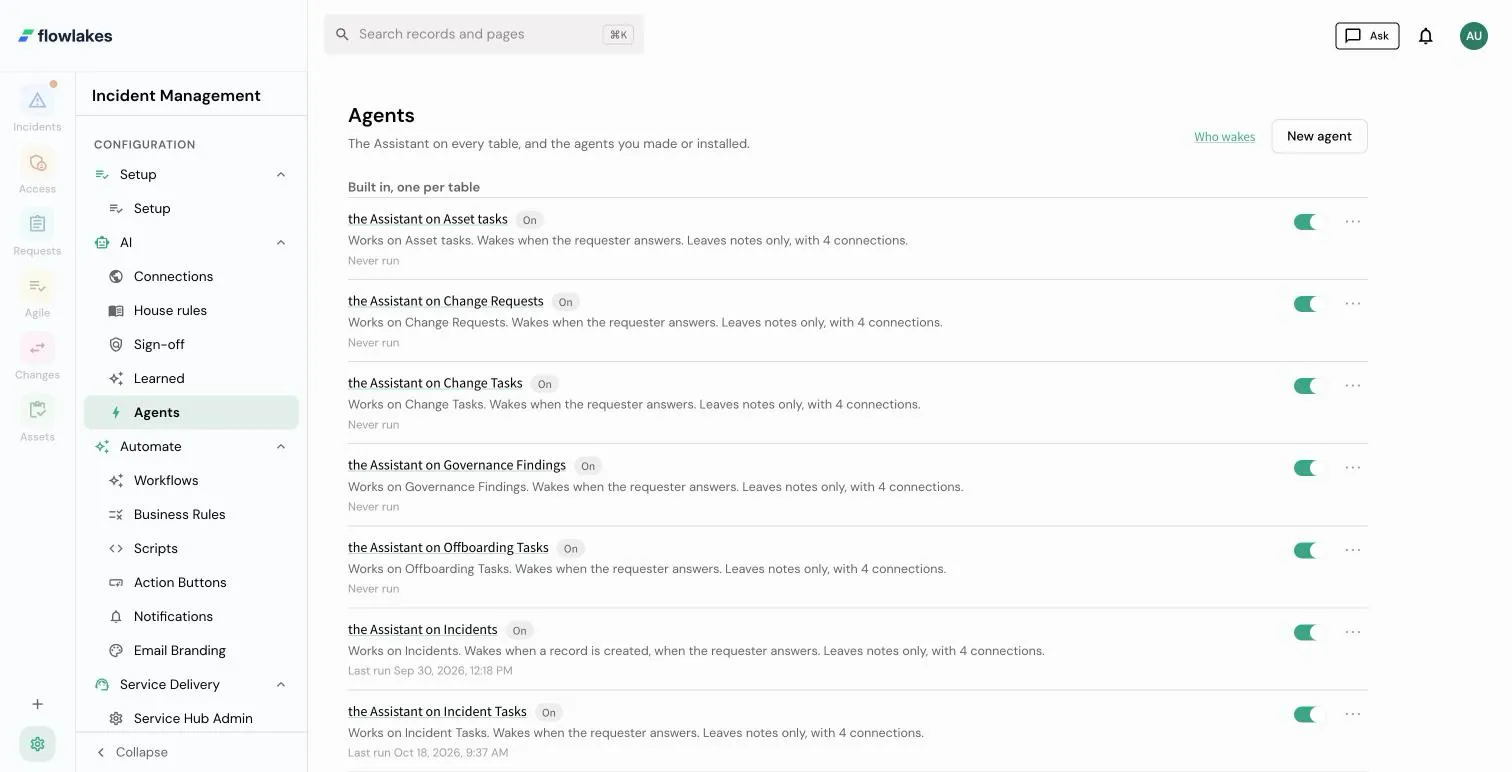
Agents (/admin/agents) groups every agent in the tenant into two
sections: Built in, one per table is the Assistant, one row for every
table whose sessions are switched on; Yours and installed is everything
you made, cloned, or installed. Each row reads as a sentence composed from
the agent’s own parts (where it works, when it wakes, what it may do), never
a slug or a status code, with when it last ran and an On switch. The row menu
offers Pause, Retire (a made agent only; the Assistant is never retired from
here), and Open the full editor. Who wakes, on the header, opens the
wake map for the read-only picture of wiring across
every table at once.
The agent page
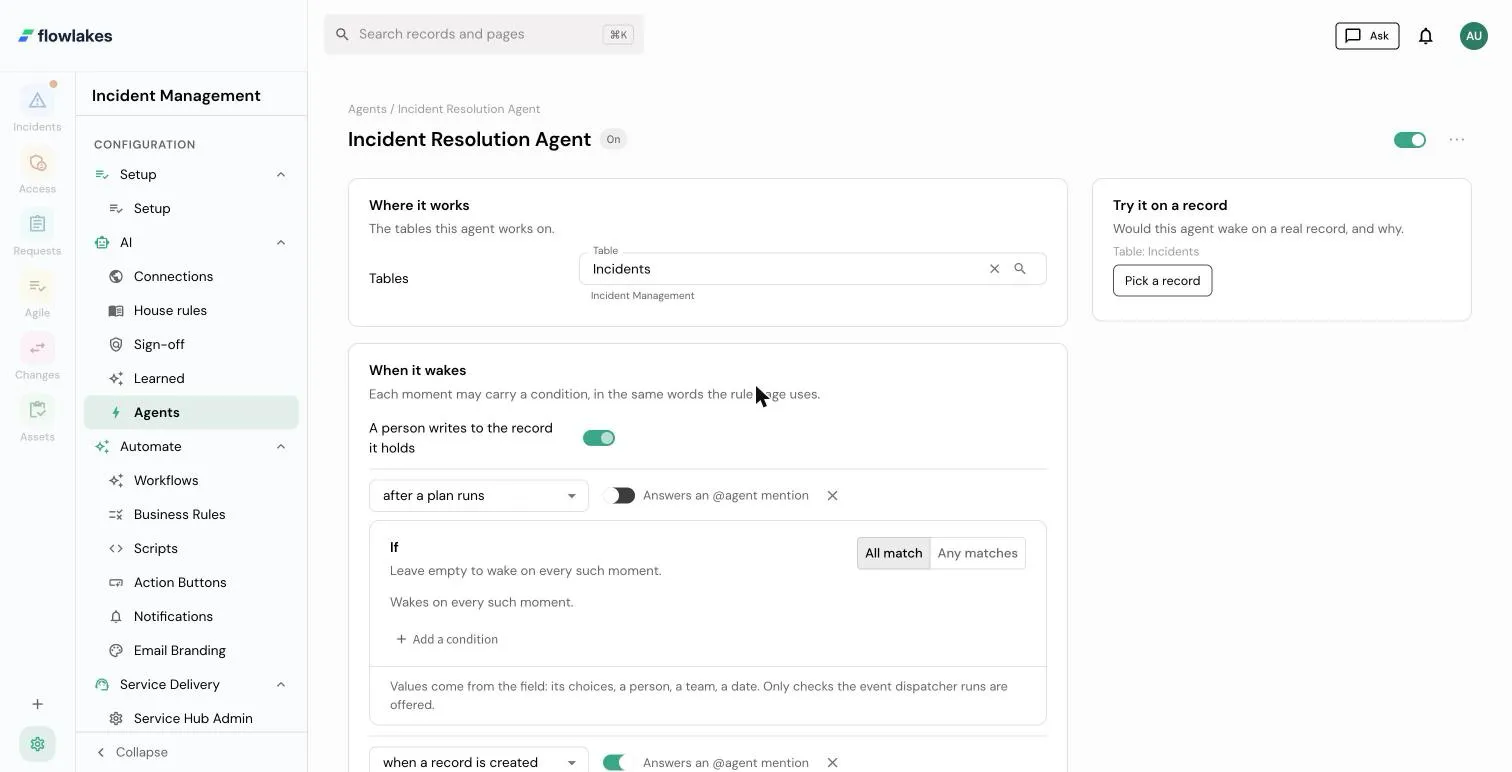
Opening a row, built in or made, lands on the same page with five sections:
- Where it works. The table (or tables) this agent is scoped to. The Assistant’s table is fixed; a made agent’s can change.
- When it wakes. A list of moments (a record is created, a field changes, a file is attached, the requester answers, a plan has run, a rule or workflow hands over, only when asked, or on a schedule once that exists), each with an optional condition in the same If grammar the rule and workflow pages use. “A person writes to the record it holds” is always on and shown as a fact, not a setting you could turn off.
- What it may do. Connections ticked from what the table itself may reach, never a wider set; whether the agent proposes a change for a person to approve or acts within sign-off; and which fields on that table it may change. There are no notes-only agents: an agent can always write a note regardless of this choice, and an agent you make must tick at least one field before it can be saved. The Assistant is the one exception, shown as such on the page: it may plan any field on its own tables, and every plan still goes to a person to approve.
- Who approves. One picker, the same one the table’s own Setup page shows, so there is exactly one place that fact is edited.
- How it works. Short instructions (the made agent’s charter, edited in place) and the model. The Assistant’s instructions show read-only, with a link to where they are actually edited; the service account, roles, and the loop and token numbers fold under Advanced, because most agents never need to open it.
To the right, Try it on a record picks a real record on the agent’s table and asks, with no model call and nothing written, whether this draft would wake on it, which moment matched, and, for a made agent, whether the Assistant would stay quiet on that same record. One save bar at the foot of the page covers every section; Open the full editor reaches whatever this page does not, including the longer charter view, the full tool and reach catalog, and the autonomy modes below.
New agent
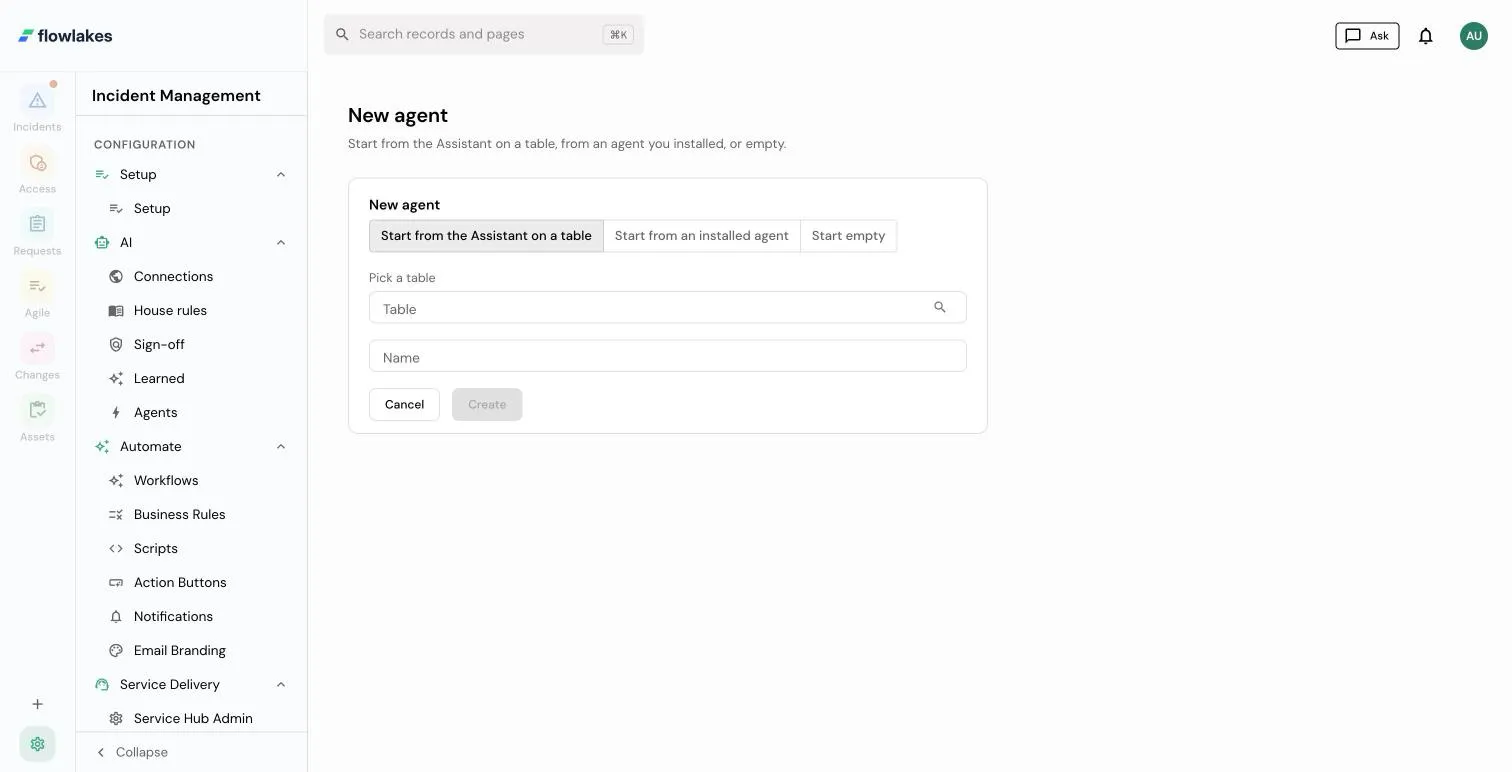
+ New agent (/admin/agents/new) starts a made agent from one of three
places: the Assistant on a table (carrying over its connections, approver,
and house rules as a starting point), an agent you already installed, or
empty. Whichever you pick, it saves switched off, and Try it works before you
ever turn it on. Once saved it appears under “Yours and installed.”
Which agents wake on what, out of the box
A fresh tenant’s defaults, by package:
| Agent | Table | Wakes on | Status on a new tenant |
|---|---|---|---|
| Incident Triage | Incidents | every new incident that is not a duplicate | active |
| Incident Closure Reviewer | Incidents | the state changing to resolved | active |
| The Assistant on Requests | Requests | every new request | active (a table note sets it) |
See Incident agents for the two made agents the Incident Management blueprint ships. Requests ship no made agent; the Assistant takes every new request because the Request Management blueprint turns on wake on create for the Requests table, the same switch “When it wakes” edits above. An already-installed tenant keeps whatever switch it chose for either of these before: a package upgrade never flips a wake setting or an agent’s paused/active status a tenant already set, only a brand new install of the package gets the defaults in this table.
Autonomy, underneath
The two “what it may do” choices on the agent page are a plain-language read of five autonomy modes the platform actually runs:
| Mode | Writes | Where you see it |
|---|---|---|
| Propose | become a proposal a human reviews | ”Proposes changes for a person to approve” |
| Bounded | require approval before they execute | ”Acts within sign off” |
| Autonomous | execute directly (needs a write-granting role) | the full editor only; this page never sets it |
| Operator, Investigate | chat-only, no forced write path | the full editor only; a stored agent in one of these reads back here as read-only, with the reason named |
Start in propose, and move up only once you trust the agent’s behavior. The full editor is also where an Investigate agent is built: one that only ever answers, closing with a structured finding rather than a change (see Judgments).
Good to know
- “Agent” is one noun. The Assistant is not a different kind of thing; it is the agent the platform gives every table for free.
- A trigger no longer silences the Assistant for a whole table. The wake rule is decided per record and per moment: the agent already holding the record, else the one a person is speaking to, else the made or installed agent whose moment matches most specifically, else the Assistant’s own moment, else nothing runs. A made agent’s moment claims only the records it matches; the Assistant on that table answers the rest, unless its per-table switch in Setup is off.
- No slug, UUID, tool id, model id, or status enum appears on this page. Pickers show display names and send the keys underneath; the Advanced fold is where the numbers live.
- Try it, part A, never calls a model. It only asks whether the moments would match a real record, through the same evaluator a live wake uses.
How it connects
The agent page and New agent are the front door; they read and write the agent row, its triggers, grants, approver, and note settings through one typed spec and one writer, never a second path. They do not own the run loop (the agentic loop), the approval ladder (Plans and governance), or the per-table picture of wiring (the wake map). The full editor, reached from “Open the full editor,” is where the deeper shape (charter body, full tool catalog, computed reach, and the learning rungs) still lives.
- Exact shapes:
AgentSpecand its validator in the typed schemas reference; every term in the glossary.