Connect via MCP
FlowLakes speaks the Model Context Protocol (MCP), so an AI client like Claude Code, Claude Desktop, or Cursor can work directly against your instance: read records, design tables, author workflows, build dashboards, and run agents. You connect a client by creating an access token from the Connected assistants admin page. The token acts as one user you choose, carries one of four fixed profiles that name what it may do, and always expires. Every call runs through the same permission checks as the web app, so the client can only do what that user’s role and the token’s profile both allow.
Goal
Create an MCP access token for a client and connect it to your instance, with the right acting user, the right profile, and an expiry.
Prerequisites
- Admin access to the Connected assistants page.
- The user you want the client to act as. Pick a least-privilege account whose role holds only the capabilities the client needs. See Capabilities.
- The profile that matches what the client needs to do (see below).
The four profiles
Every token picks one profile. There is no “admin” profile here: an external assistant can never hold admin scopes, no matter which user it acts as.
| Profile | What it can do |
|---|---|
| Read-only Analyst | Read tickets, records, and the documentation. Nothing else. |
| Desk Assistant | Everything Read-only Analyst can, plus commenting, creating tickets and service requests, proposing changes for approval, and looking up directory users. |
| Desk Lead | Everything Desk Assistant can, plus approving proposed changes. |
| Builder | Everything Desk Assistant can, plus building: it can draft, check, and install a new process end to end, and change an installed one through a look, try, and update cycle. Its delete_ tools never delete directly: a delete is held as a plan a person approves. |
The page shows each profile’s scopes as plain sentences when you pick it, and again on every existing token’s row, so you always know what a connected assistant is allowed to do without reading scope codes.
Steps
1. Open Connected assistants
Go to Admin → Access & Governance → Connected assistants (/admin/mcp-access). This is where you create and revoke the tokens that let AI clients connect to your tenant. A revoked token stops answering within five seconds. If the platform’s session store is unreachable at that moment, it can take up to two minutes, because the server then rechecks tokens against the database as their cached check expires.
2. Create a token
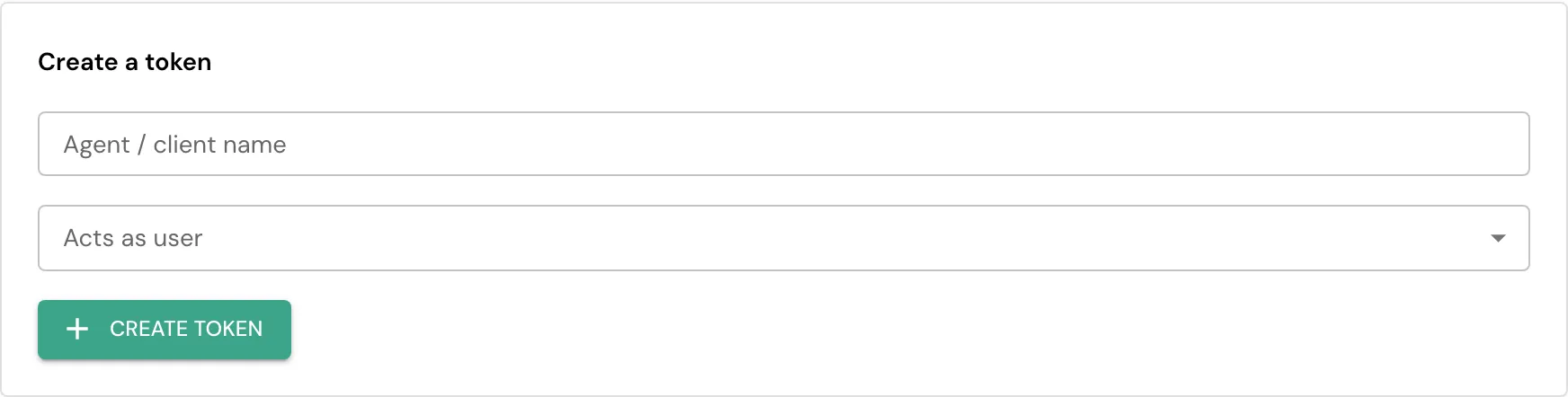
In Create a token, name the client (for example, claude-code-laptop), choose the user it acts as, and pick a profile (Builder is one of the four options; admin is never offered). Pick an expiry: it defaults to 90 days and can be set up to 365 days out, there is no non-expiring option. Optionally restrict it to one or more IP addresses. Select Create token.
3. Copy the secret
The secret is shown once. Copy it to a password manager immediately; it cannot be recovered afterward, only revoked and reissued.
4. Point your client at the instance
The endpoint is https://<tenant>.flowlakes.com/mcp, over streamable HTTP. Do not use https://mcp.<tenant>.flowlakes.com: the certificate covers one label, and that host is not the MCP server. The tenant also publishes https://<tenant>.flowlakes.com/.well-known/mcp.json, which names the endpoint, the transports and how to authenticate. Before you have a tenant, https://flowlakes.com/mcp.json publishes the same document as a template, with <tenant> literal rather than a real host.
Export the secret as FLOWLAKES_API_KEY. The connect command reads that variable and does not contain the key:
claude mcp add --transport http flowlakes \ https://<tenant>.flowlakes.com/mcp \ --header "Authorization: Bearer $FLOWLAKES_API_KEY"A request with no credential returns 401 and WWW-Authenticate: Bearer realm="flowlakes".
The Connected assistants page shows the same command with your tenant’s address filled in, plus ready snippets for Cursor, VS Code (.vscode/mcp.json, which prompts for the token once) and clients that only speak stdio (the mcp-remote bridge). Claude Desktop adds remote servers under Settings, Connectors, which needs a sign-in flow FlowLakes does not offer yet; use the mcp-remote bridge there for now. ChatGPT cannot connect yet for the same reason.
Check a table before you save it with try_table, then create it with create_table. Add a column with create_field.
Check a workflow with try_workflow, then create it with create_workflow.
Check a business rule with try_business_rule, then create it with create_business_rule.
Endpoints
| Endpoint | Transport | Use it when |
|---|---|---|
https://<your-instance>/mcp | Streamable HTTP | The default for a new client, and the one address to give it. Session identity is kept outside the server process, so a backend restart, or your traffic landing on a different server process, never drops a live session. The longer https://<your-instance>/mcp/mcp reaches the same endpoint and keeps working. |
https://<your-instance>/mcp/sse | Server-Sent Events (SSE) | Kept for a client built against the earlier transport. It keeps working unchanged; move to /mcp when your client supports it. |
Both endpoints accept the same token and reach the same tools, scoped the
same way by the token’s profile. A client that already works against /sse
has no reason to change until you choose to move it.
Discovery paths under https://<your-instance>/.well-known/ answer a JSON
404 unless the platform publishes that document, never the web app’s page,
so a client probing for OAuth metadata reads “not offered here” instead of a
malformed answer. https://<your-instance>/sse and https://<your-instance>/messages
(no /mcp prefix) answer the same kind of JSON 404, naming /mcp, for a
client that read the SSE transport above too literally.
A session on /mcp is bound to the user, the client, and the credential
that opened it, not only to your tenant. If a different token tries to
reuse your session id, including a token minted for another person in the
same tenant, the call is refused with a 403, naming that the session
belongs to another caller, rather than silently rebinding it or answering
as if it were an unknown session asking to start fresh.
A dropped connection
If your client’s connection drops (a backend restart, a deploy, a load
balancer sending your next request to a different server) a client on
/mcp picks the same session back up on its next request: nothing was
lost, and no tool call needs to be retried just because the connection was
interrupted. A client on /sse has to open a new connection and start a
new session; any call already in flight when the connection dropped should
be treated as unknown, the same as any other dropped connection.
Verification
Ask the model to call get_current_user. It should return the tenant and the user the token acts as. If it returns “User not found” or an empty tenant, the token is wrong or was revoked.
Then ask it to call get_platform_capabilities (a Builder token can also list_tables). What it can see reflects that user’s capabilities intersected with the token’s profile, not the whole platform.
For a Builder token, ask it to call create_table (or another build tool) with a fresh table name. It should succeed; a non-Builder profile refuses it with a scope error.
Access control
The token is the user, narrowed by its profile. A tool that writes runs only if the acting user’s role grants the matching capability AND the token’s profile includes the scope that tool maps to; every action is audited under the user, the client, and the profile. To widen or narrow what a client can do, change the role of the user it acts as, re-mint it with a different profile, or issue a token for a different user. Revoke a token on the same page at any time. The record timeline on an affected record shows which changes came through an external client, captioned “via <client name> on behalf of <user>” so it is always clear which assistant acted and on whose behalf.
Troubleshooting
| Symptom | Cause | Fix |
|---|---|---|
| ”User not found” or empty tenant | The token is invalid, was revoked, or expired | Create a new token and update the client |
| The client sees very few tools | The acts-as user lacks capabilities, or the profile is narrower than expected | Grant that user’s role the capabilities it needs, or re-mint with a broader profile (for example Builder) |
| A write is refused | The acts-as user’s role lacks the write capability, or the profile has no matching scope | Add the capability to the role, or re-mint with a profile that includes it, then retry |
create_table or another build tool is refused | The token’s profile is not Builder | Re-mint the token with the Builder profile |
| The row shows “Never expires” | The token predates the required-expiry rule and was not backfilled | Revoke it and mint a new one; every new token has an expiry |
| The secret is not shown again | It is displayed only once at creation | Revoke the token and create a new one |
Desk tools
What a desk token lists
A Read-only Analyst, Desk Assistant or Desk Lead token lists twelve desk
tools by default, in this order: create_incident,
submit_service_request, propose_changes, get_ticket, my_queue,
list_service_requests, add_comment, search_knowledge, lookup_user,
get_current_user, docs_search and docs_get_page. A Read-only Analyst
sees only the reads among them. A Desk Lead also lists list_pending_plans
and decide_plan. A Builder token, or a token with its own scope list,
lists everything its scopes allow, desk tools first.
Every other tool the token’s scopes allow is still there. To list it, send
the header X-FlowLakes-Toolsets: all, or add ?toolsets=all to the
/mcp address. You can also name toolsets: desk, approvals,
desk_ai (ask_agent, request_investigation) and docs, comma
separated, for example X-FlowLakes-Toolsets: desk,docs. A toolset
never lists a tool beyond the token’s scopes, and an unknown toolset name is
refused with the list of known ones. Calling a tool works whether or not it
is listed, as long as the scopes allow it.
Every tool carries the MCP hints title, readOnlyHint,
destructiveHint, idempotentHint and openWorldHint, so a client such
as VS Code skips the confirmation prompt for a read and asks before a tool
that removes or overwrites data.
The desk tools in detail
Nine task-shaped tools cover the common desk work end to end: my_queue,
get_ticket, create_incident, add_comment, ask_agent,
list_pending_plans, decide_plan, search_knowledge, and lookup_user.
Each takes human identifiers (a table name and a record id, a free-text
query, a name or email) and returns compact text plus a link back into
FlowLakes, so a client never has to learn a table’s own field names first.
create_incident is the one exception: it returns the same result object
(id, number, table, message, link) every other write tool does,
not a separate summary field, so a client reads the incident number the
same way after any create.
decide_plan is built but refused by default: a tenant must explicitly open
plan decisions to external assistants before any client can approve or
reject one, and the client that proposed a plan may never be the one that
decides it, even once that setting is on. Only a Desk Lead token lists it:
approving over MCP needs the Desk Lead profile. There is no
validate_blueprint tool over MCP; a Builder checks a change with the
try_ tools instead.
create_incident fills caller from the acting user when you leave it
out of the payload, so a new incident always names a caller even on a
tenant whose caller field carries no default of its own.
If the same agent already has a run in progress for the record you asked
about, ask_agent answers status: "busy" with that run’s id and the
text “The goal was not queued. The run on this record is still active.”,
instead of claiming it started your new goal: queue a different record,
or wait for the active run to finish.
Device tools
Four tools cover a managed device enrolled through the gateway_device
door: list_devices lists this tenant’s managed devices (hostname,
whether each is online, and the CI id to target the other three with);
device_state and device_inventory read one device’s latest state and
its software/services/hotfixes, by that CI id. The three reads need a
Desk Assistant token or higher (desk.read), on top of the acting user’s
own platform.gateway.read role capability. run_device_action only
proposes a governed action (run a named script, reboot, restart or check
a service, kill a process) as a plan a person approves; it never runs
anything directly. It is not reachable from any external token yet: its
registry row is still flagged in a way that routes it to an admin-only
scope no external client can hold, pending a separate fix.
Safe retries and lost updates
crud_create, crud_update, create_incident, add_comment and
submit_service_request take an optional idempotency_key. Send the same
key again after a dropped reply or a retried call and you get back the
first result, not a second record; the same key with different data
answers error_code: idempotency_conflict instead. The REST API takes the
same key as an Idempotency-Key header on a create and on a Service Hub
submit (POST /service-hub/submit/{catalog_item_id}).
If you send no key on crud_create, create_incident, add_comment or
submit_service_request, FlowLakes makes one from your token, the tool and
the exact arguments. Repeat the same call with the same token within 10
minutes and you get the first record back, with replayed: true in its
result. So a retry
after a lost reply never creates a second record. To create two identical
records on purpose inside that window, send a different key on each call.
A key is scoped to the door it came in on: a REST retry and an MCP call by the same person never collide over a coincidentally equal key, even for the one action (Service Hub submit) both doors can take.
crud_update also takes an optional expected_version (the integer
version you last read on the record). If the stored record moved since
then, the call is refused with error_code: conflict and the record’s
current version, instead of overwriting someone else’s change. The REST
API reads the same value from an If-Match header on an update. Leaving
either argument out keeps today’s behaviour: no replay check, no version
check.
Field aliases and a narrower read
Some tables declare an alias for one of their fields: title and summary
both stand in for short_description on Incidents, Incident Tasks, Service
Requests and Request Tasks today. crud_create and crud_update accept the
alias exactly where they accept the real name, and resolve it before any
other check runs, so sending title on an incident writes its
short_description. get_table_details lists a table’s own aliases.
Sending the alias and the real field together with different values
answers error_code: conflicting_alias, naming both; sending only one of
them is unaffected either way.
crud_read and query_records take an optional fields: [...] to read
back only the named columns, instead of every field the record has. id
and (on a table that has one) number come back whatever you named, since
a client always needs them to act on the result. A name the table does not
have, or does not expose to a read, answers error_code: unknown_field,
listing the names you could have asked for. A field a reader must withhold
for another reason (a secret-bearing column, a never-exposed one) stays
withheld even when you name it: the projection only ever narrows a read, it
never widens one past what an unprojected call would have shown.
Writing to a field that does not exist on the table answers the same
error_code: unknown_field, from crud_create, crud_update, and
bulk_update alike, naming every bad field and, for each one, the closest
real field name or names on that table, when one is close enough to guess.
A single typo such as short_descriptoin comes back with that field named
alongside the suggestion short_description, so a client can retry in one
turn instead of asking for the whole schema to find its own mistake.
submit_service_request answers error_code: not_found naming the field
catalog_item_id for either a catalog item that does not exist or one that
exists but is not open to you: the two cases answer the identical generic
sentence, so a client probing item ids cannot learn which items are real
but hidden from the response alone.
What every tool answers
Every tool call answers one shape. On success: ok: true, the tool
name and its result. On a failure: ok: false, an error_code (such as
unknown_tool, unknown_argument, invalid_argument, permission_denied,
rate_limited or internal_error), a sentence in error,
retry_after_seconds when a limit was reached, and reference when the
server logged the failure for an administrator. The MCP result is flagged
as an error (isError) for every failure, so a client never reads a
refusal as an answer. success is still sent beside ok for this release.
invalid_argument is a different fact from unknown_argument: an argument
the tool does not declare at all is unknown_argument (it lists the
arguments it does take); an argument the tool DOES declare, sent with the
wrong shape (a bulk_update call over the row cap, a missing required
field, the wrong type), answers invalid_argument naming the argument’s
own path and the rule it failed, for example "updates has 101 items; the maximum is 100.". It never echoes the raw value you sent, and never a
driver or schema library’s own wording.
One audit row records the call itself: the tool name, how long it took and whether it was allowed. A write a call makes to one of your records is a SEPARATE row on that record’s own activity timeline (the create, update or delete, labelled the same way a REST write is); the call row never doubles as a second entry there.
Two answers are questions, not errors, and are not flagged: needs_decision
(the call names something a person has to choose; it carries the question
and its options) and needs_confirmation (the tool asks the person first;
call it again with confirm: true).
A tool refuses an argument it does not declare, by name, and lists the
arguments it does take. The list_ tools take filters: table_name and
is_active on business rules, workflows, notification rules, approval
policies and catalog items, and page_type or workspace_id on dashboards.
A get_ tool takes id; the older names such as rule_id still work for
this release. list_tables names each table without its record count; ask
get_table for the count of one table. A business rule with a script reads
back without its script: script_present is true, script_body is empty, and
script_body_note says that a save from the spec keeps the body unchanged and
that the script itself is edited on the rule’s record page. Its name, moment
and conditions stay editable from the spec.
A 429 from the server’s address means the connection or the message
channel itself was flooded, not that a tool refused you. It answers the same
shape as a tool’s own failure, {"ok": false, "error_code": "rate_limited", "retry_after_seconds": N}, plus a Retry-After header, so a client can
read it without special-casing the transport. That HTTP bucket is the credential in the Authorization header, not the client IP. Two tokens from one office do not share it. The per-token limit is a different fence, inside a successful connection: 60 calls a minute per token, 600 a minute per tenant, 20 plans or agent runs an hour, 120 registry changes an hour, and 3 concurrent agent runs. It answers inside the reply, also as error_code: rate_limited with retry_after_seconds, because a 429 on the message POST would not reach the SSE stream. Those budgets are enforced in the server. They are not a reverse-proxy setting. The proxy in front of /mcp/sse and /mcp/messages is only the coarse flood fence, and it uses the same credential key.
When the server is busy
A heavily loaded tenant can answer busy instead of rate_limited. This
is a different fact: rate_limited means your client sent too many calls
for its own allowance; busy means the server’s own call queue for your
tenant is full, or a call waited in it too long. The queue and the number
of calls that run at once are one budget per tenant, however many server
processes answer your calls. Either way, nothing was run and nothing was
saved, so the call is safe to retry.
A busy answer is {"ok": false, "error_code": "busy", "error": "The service is busy. Try again in a moment.", "retryable": true, "retry_after_seconds": N}, plus a Retry-After header on the HTTP
response. It arrives as a normal tool failure (flagged isError, never a
hang and never a bare connection drop), with one difference worth coding
against: inside a live session a busy answer is always in the reply, with
HTTP 200, and the session stays open. The HTTP status is 429 only on a
connect, when the call queue itself was full or too slow before your
session existed, and 503 only when the database behind your tenant could
not serve the call in time. A client that already retries on 429/503
with Retry-After needs no special case for this; a client that only
retries on rate_limited should also retry on busy. The 60 calls a
minute per token count tool calls only: initialize, tools/list, ping
and a reconnect do not spend it.
Wait at least retry_after_seconds before retrying. The server also times
out a call that has been in flight too long, win or lose: a call whose own
budget runs out, queued or not, answers error_code: deadline instead
(also retryable), rather than leaving you to guess whether it landed.
What MCP reaches
| Area | Reaches MCP? | Notes |
|---|---|---|
| Discovery sources (the CMDB collector: LDAP, network, cloud accounts, Entra) | Yes | list_discovery_sources, get_discovery_source, and try_discovery_source (a validation check, never a live connection test) run immediately. create_discovery_source and update_discovery_source always wait for a person to approve them, because a discovery source is itself a connection to something outside the platform. No MCP tool accepts an inline secret: pass a credential_id you created on the Credentials page instead. |
| Setup (tenant configuration, feature flags) | No | Setup lives on /setup pages only. |
| Credential sets | No | A credential is created and rotated on the Credentials page only; a discovery source references one by id. |
| Agent pools (gateway agent groups a network source can run on) | No | Managed on the Agents page only. |
| Classification (CMDB asset classification rules and review queue) | No | Managed on the Classification page only. |
| Insights data sources | No | The Insights data source builder is a separate surface from Discovery and is not reachable over MCP. |
Related
- The Builder loop: how a Builder token builds one setup object at a time, look, ask, build, try, review, generated straight from the operation registry.
- Agents: configured agents that run on the platform with their own guardrails.
- Capabilities: what each permission allows.
- Identity and access: roles, capabilities, and how a user is authorized.